

Author experience: I verify breaking stories every day with a stopwatch and free tools. I teach friends, family, and coworkers a one-minute, phone-first flow they can actually use.
Direct answer (≤45 words):
Scan the source and date, search the exact claim in Google Fact Check Explorer, reverse-search any image, then cross-check AP/Reuters/BBC. If details disagree or the image predates the event pause and don’t share until you find a consistent, trustworthy match.
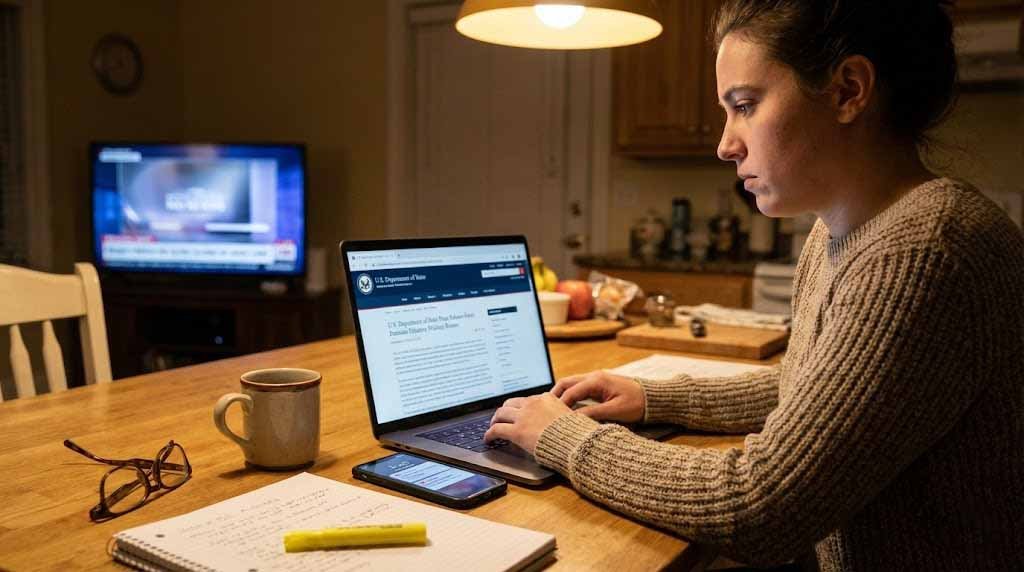
I wrote this for the moment you think, “I need to know how to verify news sources fast—without turning into a full-time investigator.” You’ll do it on your phone, in under a minute, using free tools and habits that journalists rely on: lateral reading, quick claim searches, and simple image checks.
The 60-Second Flow (phone-first)
0–10 seconds: Source, date, URL pattern
- Glance at the URL: is it a look-alike subdomain or a strange TLD?
- Check the byline, timestamp, and update history; look for a corrections page and an About page with editorial standards, funding disclosure, and a real newsroom.
- Do a burst of lateral reading: open new tabs about the site itself rather than staying on the page. This is research-backed and fast.
10–25 seconds: Search the exact claim + Fact Check Explorer
- Copy 15–25 words of the claim in quotes and paste into Google.
- Open Google Fact Check Explorer and paste the same text. Look for Claim Review entries from recognized organizations. This tool is designed to surface existing fact checks quickly.
25–45 seconds: Reverse-search any image
- Long-press the photo → Search with Google Lens (or TinEye/Bing Visual).
- Compare dates on visually similar results. If the same image appears years earlier in a different context, it’s out-of-context.
- For video, pull keyframes (e.g., InVID) and search those.
45–60 seconds: Cross-check and decide
- Check whether AP, Reuters, or BBC are reporting the same core facts. If they’re quiet while unknown blogs are loud, wait.
- Compare timestamps across outlets. Sudden copy-paste waves are a red flag.
- Decide: share, save, or archive for follow-up with the Wayback Machine (“Save Page Now”).
Checklist A — Quick Steps (copy into Notes)
- Scan URL, byline, timestamp, and the site’s About/Corrections.
- Paste the exact claim (in quotes) into Google.
- Search the claim in Google Fact Check Explorer.
- Reverse-search images via Lens or TinEye.
- Cross-check AP / Reuters / BBC; compare details and timing.
- If details don’t match, don’t share yet—save the page to Wayback.
Checklist B — Tools & Cues
Tools: Google Search, Fact Check Explorer, Google Lens/TinEye, Internet Archive Wayback Machine, InVID keyframe grabber.
Green lights: clear byline, transparency about funding, consistent details across outlets, fresh timestamp, corroboration from independent sources.
Yellow lights: brand-look-alike domain, no About page, sensational language, vague “experts say,” anonymous author, heavy clickbait cues.
Red lights: image provenance predates the event, one lone site with a big claim, no corrections page, obvious quote mining or manipulated captions.
Small Comparison Table — Visual & Claim Tools
| Tool | What it checks | Speed | Best for | Notes |
|---|---|---|---|---|
| Google Fact Check Explorer | Existing fact checks (ClaimReview) | Fast | “Has anyone checked this?” | Official training explains how to search by text or image. newsinitiative.withgoogle.com |
| Google Lens | Look-alike images & prior use | Fast | Reused photos, memes | Built into many Android/iOS Google apps. |
| TinEye | Oldest occurrences | Fast | Finding “first seen” dates | Useful for archive snapshot discovery. |
| Wayback Machine | Page history & edits | Medium | Update history, timestamp drift | “Save Page Now” captures a copy. |
Two Mini-Stories from Real Life
Subway “flood photo” (40 seconds)
I was on the NYC subway when a dramatic “today’s flood” picture exploded on X. I long-pressed, hit Search with Lens, and saw the same image from 2012. A quick Reuters scan showed no current matching photos. I didn’t share. Two hours later, Reuters confirmed it was recycled. Reuters
Family WhatsApp school-closure rumor (55 seconds)
My cousin forwarded “schools closed tomorrow.” I copied the exact sentence into Google, then searched Fact Check Explorer. The identical text appeared in a two-year-old hoax. The district’s site had no notice. I replied with links and a calm note. That avoided a cascade in our family groups.
Mini Case Example — Out-of-context image
Claim: “This wildfire photo is from today.”
Check: Lens finds the photo in a 2018 AP gallery; Reuters has only text updates for today’s fires. Verdict: out-of-context; wait for current photos from AP/Reuters/BBC before sharing.
Troubleshooting Edge Cases
No byline / no “About” page
If you can’t find author info or the site’s editorial standards, search site:domain.com corrections or domain + funding. The IFCN Code of Principles prizes transparency and clear methodology; if a site hides basics, treat the claim as unverified.
Everyone repeats the same paragraph
When dozens of blogs echo an identical paragraph, they may be republishing a wire or one blog’s post. Look for AP/Reuters origin lines. If the original wire lacks the flashy claim, the blog added it—don’t pass it on.
Time-zone mismatches and silent updates
Stories can look “new” because of your local time. Compare UTC-style updates, then use the Wayback Machine to see earlier versions. Big late edits, missing corrections, or stealth changes are cues to wait.
Practice Prompts You Can Paste (realistic queries you’ll use)
When you’re rushed, paste one of these into search or your notes app to steer your verification workflow:
- “is this real”
- “fake or not”
- “how to check quickly”
- “verify on phone”
- “trust this site”
- “who published this”
- “what’s the source”
- “has this been debunked”
- “reverse search image”
- “compare headlines”
- “original post link”
- “when was it posted”
- “look up author”
- “check for corrections”
- “search other outlets”
- “find claim review”
- “use archive”
- “metadata missing”
- “AI generated photo”
- “old photo reused”
- “quote out of context”
- “viral on WhatsApp”
- “tweet verification”
- “telegram channel rumor”
- “how to spot deepfake”
- “verify video keyframes”
- “map the location”
- “search by domain”
- “copy exact quote”
- “paste into fact check explorer”
These mirror how people actually think under pressure and align with media-literacy habits like cross-reference, corroboration, and avoiding context collapse.
How Professionals Do It (and how you can, too)
Pros don’t “read harder”; they read laterally—leaving the page to learn about the source and claim elsewhere. Stanford’s research on Civic Online Reasoning shows lateral reading improves accuracy and speed, especially for students and busy readers like us.
- Keep an eye on source credibility over ideology.
- Notice headline analysis issues like clickbait cues and sensational language.
- Prefer primary sources (press releases, official agency posts) over secondary sources (blogs summarizing others).
- Watch for confirmation bias—if a post is too satisfying, slow down.
- Log an archive snapshot if you think a page might change.
Organizations and Tools I Rely On (Entities, with what they’re good for)
- Google Fact Check Explorer — search existing checks by text or image.
- Poynter / IFCN — standards for nonpartisan fact-checking; check signatory lists.
- Stanford History Education Group (Civic Online Reasoning) — lateral-reading lessons.
- CISA — guidance on resilience against disinformation (pair with your critical-thinking routine).
- Internet Archive (Wayback Machine) — page history and “Save Page Now.”
- AP News / Reuters / BBC / AFP Fact Check / Snopes / PolitiFact / Full Fact / FactCheck.org / Washington Post Fact Checker — consistent, transparent methodologies and clear corrections.
- TinEye, Google Lens, Bing Visual Search, InVID, Amnesty YouTube DataViewer — image/video verification and image provenance checks.
- Nitter, CrowdTangle (Meta), X (Twitter), Facebook, Instagram, TikTok, Telegram, YouTube — where rumors spread; use to cross-reference original posts (when available).
- Internet Archive Save Page Now and Google Transparency Report — archiving and ecosystem context.
Tip: When you verify a headline, capture the first version with Wayback. If the update history changes later, you’ll have proof of what you saw initially. help.archive.org
Copy/Paste Search Phrases that Work (the “traditional keywords” you’ll actually type)
When I’m in a rush, these are the exact phrases I’ve typed into search or notes to guide my checks:
quick fact check; fast news verification; verify a headline; reverse image search steps; check website credibility; lateral reading method; Google Fact Check Explorer guide; use Wayback Machine; verify tweet/post; check author credentials; trustworthy news sites; debunk viral posts; image metadata check; confirm breaking news; out-of-context photo fix; deepfake basic checks; cross-reference sources; phone fact-checking; free fact-checking tools; claim review search; check domain “about” page; look for corrections policy; archive page screenshot; verify quote origin; check publication date; identify manipulated images; compare multiple outlets; evaluate sourcing language; AP/Reuters cross-check; BBC verification tips; CISA disinformation tips; Stanford lateral reading study; Snopes alternative list; PolitiFact guide; AFP Fact Check method; Reuters Fact Check process; verify location with maps; metadata exif basics; structured data ClaimReview info
You’ll notice these cover time, safety/trust, device, and troubleshooting—the real questions you have in the moment. (For Claim Review and Explorer context, see Google’s official docs.) newsinitiative.withgoogle.com
Two More Field Notes (how this plays out IRL)
- “Everybody is sharing it” ≠ proof. Ten blogs echoing one unsourced post is still one source. Look for independent corroboration—especially from wire services with transparent corrections. AP News
- “Screenshots vs links.” Screenshots are easy to fake and lack metadata. Prefer links to the original primary source. If you only have a screenshot, try reverse-searching or locating the original via keywords and social graph clues.
FAQs (snippet-length answers)
- How do I verify a news story in 60 seconds?
Scan the source and timestamp, paste the exact claim into Google and Fact Check Explorer, reverse-search images, then cross-check AP/Reuters/BBC. If details conflict or the image is old, don’t share yet—wait for consistent reporting. - What’s the fastest way to check a photo?
Use Google Lens or TinEye to find earlier uses and captions. If the same photo appears in older posts with different contexts, it’s out-of-context. Confirm with a current article from a wire service or broadcaster before you share. - If many sites repeat it, is that proof?
No. You may be seeing the same text syndicated or copied. Look for independent coverage by AP, Reuters, or BBC. If you can’t find it there, treat the claim as unverified and hold off. - How do I use Google Fact Check Explorer?
Go to the tool, paste the text of the claim, and scan results from recognized fact-checkers. You can also upload an image to see if it’s been checked. Results show the claim, rating, and source. - What’s “lateral reading,” and why should I do it?
It means leaving the page to learn about the source from elsewhere. Stanford’s research shows this habit improves accuracy and speed, even for experts. It takes seconds and prevents tunnel vision.
- What if an article has no author or “About” page?
That’s a transparency gap. Check for a corrections page, funding info, and editorial standards. If you can’t find them quickly, wait for a more transparent source or a wire report. The IFCN Code values this transparency. - Are timestamps reliable?
Not always. Pages can update silently or reflect your time zone. Compare across outlets and use the Wayback Machine to view earlier versions. Big late edits suggest waiting. - Which outlets are best for cross-checking?
Start with AP and Reuters (straight news), then BBC for global context. Add AFP or another regional source for balance. Consistency across them is a strong signal. - How do I verify a WhatsApp or Telegram forward?
Copy the exact text into search and Fact Check Explorer; check official school/agency pages for notices. If there’s no primary confirmation, don’t pass it along. - What should I do before sharing breaking news?
Run the one-minute flow: scan source, search claim, reverse-search images, cross-check reliable outlets, and archive if needed. If signals are mixed, pause and revisit later.
A Few Things to Watch (your mental checklist)
- Bias traps: Avoid confirmation bias by actively looking for disconfirming details.
- Cherry-picking and quote mining: Read beyond the headline and test the quote in full context.
- Geolocation clues: Landmarks, signage, weather, language—do they match the caption?
- Bot-amplified rumors: If engagement looks inorganic, be extra cautious with rumor triage.
- Chain messages: Generic “urgent” tone, no links, and recycled formatting often indicate hoaxes.
90-Second Summary + Action Checklist
Summary: You can learn how to verify news sources without being a pro. In under a minute, check the site (byline, About, corrections), search the exact claim—including on Fact Check Explorer—reverse-search images, and compare trusted outlets. If anything feels off, don’t share yet.
Action checklist (today):
- Save shortcuts: Fact Check Explorer, Wayback, Lens.
- Make a Notes template with Checklist A and Checklist B.
- Teach one person the 60-second flow.
- Run it on the next viral post you see—time yourself.
- Add a reminder: “Archive first if it might change.”